Process & Systems Fundamentals
Business Process Improvement for Small Business: Document, Diagnose, Improve, Solve
By Derek Coffey · October 6, 2026
Key Takeaway
Business process improvement is the work of making the way your business gets things done faster, cheaper, and more reliable, without depending on any one person to hold it together. In a small business it fails for one predictable reason: owners start at the end. They buy a new platform or automate a step before anyone has written down how the work actually happens, so they spend money speeding up a process nobody understood. It works when you run four stages in order. Document how the work really gets done. Diagnose where it breaks. Improve the process itself. Then solve what is left with the right tool, whether that is a setting in software you already own, an automation, or custom software built around the way you work. Across 16 businesses we studied, only 27% of the work was documented at all, which means most improvement efforts are aimed at a process nobody can see.
What Is Business Process Improvement?
Business process improvement is the practice of finding where a process wastes time, money, or quality, changing the process to remove that waste, and making the change stick. That last part matters more than the definitions usually admit. A process that gets better for a month and then drifts back to the old way has not been improved. It has been interrupted.
For a large company, process improvement often means a department, a methodology, and a certification. For a business with 10, 30, or 80 people, it means something much plainer. It means the owner stops being the place every question goes. It means the report that eats a full day gets done in an hour. It means the job that slipped through the cracks last quarter cannot slip through again, because there is no longer a crack for it to fall into.
Owners rarely search for "business process improvement" when the pain first shows up. They describe symptoms. Things keep falling through the cracks. Every decision has to come through me. We are drowning in spreadsheets. The new software did not fix anything. Each of those is a process problem wearing a different costume, and each one gets solved the same way: see the process, find the break, fix the process, and only then decide whether a tool belongs in the fix.
Why Process Improvement Fails in Most Small Businesses
Most small businesses that try to improve their processes skip straight to the last stage. They feel the pain, they assume the cause is a missing tool, and they go shopping. A new CRM. A project management app. An automation platform. Sometimes a six-figure implementation. Then, six months later, the same problems are still there, now with a monthly subscription attached.
There are three reasons this keeps happening.
First, nobody can see the process they are trying to improve. When we fully gap-analyzed 16 small businesses across 68 roles and 461 process areas, the average business had just 27% of its work documented. Half of all role areas had no documentation at all, and 82% of teams were running below 50% coverage. You cannot improve a process that lives in three people's heads and works slightly differently for each of them. You can only guess at it, and software built on a guess inherits the guess.
Second, owners treat a structural problem like a people problem. When work gets dropped, the natural reaction is to look for who dropped it. In almost every business we have sat with, the honest answer is that the structure dropped it. There was no clear handoff, no single owner, no trigger for the next step. Replacing or retraining the person changes nothing, because the next person walks into the same gap. We wrote about this at length in it is a system problem, not a people problem, and it is the single most useful reframe in process improvement.
Third, automation multiplies whatever it touches. Automate a clean process and you get a fast clean process. Automate a broken one and you get broken results, faster and at scale, with fewer people watching. That is why AI will not fix your broken processes and why the order of the stages below is not a suggestion.
Software does not fix a process. It runs one. If you have not fixed the process first, you are paying to run the broken version faster.
The Four Stages of Business Process Improvement
Here is the whole method at a glance. Each stage answers one question, and each one depends on the stage before it.
| Stage | The question it answers | What you end up with | What goes wrong if you skip it |
|---|---|---|---|
| 1. Document | How does the work really happen today? | A captured, written version of the real process, including the judgment calls | You improve the version people think happens, not the one that does |
| 2. Diagnose | Where does it break, and why? | A short list of specific breaks: handoffs, waits, rework, double entry, single points of failure | You fix symptoms and the cause keeps producing new ones |
| 3. Improve | What should the process be instead? | A simpler process with fewer steps, one owner, and a clear definition of done | You automate waste and lock it in |
| 4. Solve | What is left that the process alone cannot fix? | The right tool for each remaining gap: a setting, an automation, or software built for you | You buy a platform and hope it creates the discipline |
Run the four stages on one process at a time. A business that tries to improve everything at once improves nothing, for the same reason it never finishes documenting everything at once. Pick the process that hurts most, take it through all four stages, prove the result, then move to the next one.
Stage 1: Document How the Work Really Happens
Every improvement starts with an honest picture of the current process. Not the version in the onboarding binder from four years ago, and not the version the owner would describe in a meeting. The version that actually runs on a Tuesday afternoon when the person who usually does it is out.
The fastest way to get that picture is to capture it rather than write it. Record the person who does the work while they do it and have them narrate why they make each choice. For knowledge that is mostly judgment, interview them. We cover the method in how to interview subject matter experts, and the broader approach in how to document business processes. The capture is where the hidden steps show up: the spreadsheet someone checks before sending an invoice, the email that has to go out before the crew can start, the exception the veteran handles without thinking about it.
On discovery calls we hear the same sentence in different words almost every week. "It all lives in my head." Sometimes it is the owner. Often it is one long-tenured employee, and the owner says it with real fear: if she left, nobody else would know how to do it. That is the first thing documentation exposes, and it is already an improvement. A process that exists only in one head is a single point of failure, and capturing that tribal knowledge removes the risk before you have changed a single step.
If you are not sure where to start, decide which processes to document first by scoring them on three things: how much they depend on one person, how often they run, and how much it costs when they go wrong.
Stage 2: Diagnose Where the Work Breaks
Once the process is visible, the breaks become visible too. This is the stage most businesses never reach, because they never had a process to look at. It is also where the money is.
Walk the documented process from trigger to finish and look for five kinds of break.
- Handoffs. Every time work passes from one person or team to another, something can be dropped. Most "falling through the cracks" problems live at a handoff with no clear owner on the receiving side.
- Waiting. Work that sits in a queue, an inbox, or someone's head between steps. Waiting is usually the largest share of how long a process takes, and it is invisible until you map it.
- Double entry. The same information typed into two or three systems by hand. It is slow, it is error prone, and it is the clearest signal that a tool could help later.
- Rework. Work that gets done, checked, sent back, and done again. Rework means the definition of done was never written down.
- Single points of failure. Steps only one person knows how to do, or decisions only the owner can make. These cap how fast the business can grow, because everything has to pass through one set of hands.
The numbers owners share when they first see their own process are often startling. One owner told us a routine report took about eight hours, and most of that time was moving numbers from one place to another. Another business spent three days a cycle auditing commissions by hand. A third spent around three hours of manual data entry on every regulatory submission. None of those owners had thought of these as process problems. They thought of them as just how the job works.
To find the break that matters most, start with how to find the bottleneck in your business, and if you want a structured walk through the whole operation, use a process audit checklist. For processes that cross several teams, a value stream map shows where the waiting hides.
Stage 3: Improve the Process Before You Touch the Tools
Now you change the process itself, on paper, before you change any software. This is the stage that turns a diagnosis into a better business, and it is usually cheaper than owners expect, because most of the fixes are decisions rather than purchases.
The fixes follow directly from the breaks you found.
- Remove steps that exist only out of habit. If nobody can explain why a step is there, test the process without it.
- Give every handoff a receiver. One named person who owns the work once it arrives, with a clear trigger that tells them it has arrived.
- Write the definition of done. Rework drops sharply when the person doing the work knows exactly what finished looks like before they start.
- Move decisions closer to the work. If every decision waits on the owner, write down how the owner decides and hand the routine ones to the team.
- Make it the standard. Once the improved version works, it becomes the documented way the process is done, which is the idea behind standard work.
Run the improved process for a few weeks and measure it against the old one. If it is faster, cleaner, and less dependent on one person, you are done with this stage. Our guide on how to streamline a process goes deeper on cutting steps safely, and continuous improvement for small businesses covers how to keep improving without turning it into a second job.
A surprising share of processes are fully solved here. Take the eight-hour report from Stage 2. Most of those hours went to moving numbers by hand, which makes it a process problem before it is a software problem: pull the inputs into one place, cut the duplicate steps, and the hours go with them.
Stage 4: Solve What Is Left With the Right Tool
Some breaks survive a better process. The data really does have to move between systems. The volume really is too high for people to keep up. The work really is unique enough that no off-the-shelf product fits it. This is where tools earn their place, and because you have documented, diagnosed, and improved the process first, you now know exactly what the tool needs to do.
There are three ways to solve what is left, and the right one depends on the gap.
| Option | When it is the right call | What it looks like | The cost of getting it wrong |
|---|---|---|---|
| Fix it in the process | The break was a missing decision, owner, or step | A rule, a checklist, a named owner | None. Always try this first |
| Configure or automate | The work is repetitive, rule based, and a tool you already own can do it | A setting, an integration, a workflow automation | Low, as long as the process is stable before you automate it |
| Build custom software | The process is core to how you win, unique enough that off-the-shelf tools fight it, or spread across a pile of spreadsheets | A tool shaped around your process that you own outright | High if you build before the process is mapped. Low and very high value if you build after |
The middle option is where most improvement lives, and it is usually cheap. The last option is where owners get stuck in both directions. Some never consider it because they assume their process is too unique to automate, when unique is exactly the case off-the-shelf software handles worst and custom software handles best. Others jump to an expensive platform implementation because it is what bigger companies use, then discover the platform was designed for a different business.
The signals that you have outgrown off-the-shelf tools are well known: dozens of spreadsheets holding the real data, a team that does not trust the numbers, staff retyping the same information into several systems, and a growing stack of subscriptions that each solve a slice of the problem. We cover each one in when spreadsheets stop scaling, when to stop using off-the-shelf software, and SaaS sprawl in a small business.
When custom software is the answer, the documentation from Stage 1 and the improved process from Stage 3 become the specification. That is the difference between a build that lands and one that drifts. It is why our sister company, The Software Effect, builds custom software you own, not rent, on top of the process work rather than in place of it. If you are weighing it, start with build vs buy for custom software and how to scope a custom software build.
What the Four Stages Find in Practice
The symptoms owners describe are different every time. Where they come from is not. Here is how the most common ones trace back through the four stages.
| What the owner says | Where it usually breaks | First fix | When a tool helps |
|---|---|---|---|
| "Things keep falling through the cracks" | A handoff with no owner on the receiving side | Name the receiver and the trigger | When volume makes manual tracking unreliable |
| "Every decision has to come through me" | Decision rules that exist only in the owner's head | Document how you decide and hand off the routine calls | Rarely. This is almost always a process fix |
| "Reporting takes all week" | Double entry and data spread across systems | Cut duplicate steps and pull inputs into one place | When the remaining work is pure data movement |
| "If she left, we would be stuck" | A single point of failure | Capture her knowledge and train a second person | Once the process is captured, training tools help it spread |
| "The new software did not fix anything" | The tool was bought before the process was understood | Go back to Stage 1 and map the real process | After the map, configure the tool to match it or replace it |
| "Our process is too unique to automate" | Off-the-shelf tools do not fit the way the work flows | Document and improve the unique process first | Custom software built around the documented process |
Notice that most of the first fixes cost nothing but a decision and an afternoon. The tools come last, and they come with a clear job to do.
How to Measure Business Process Improvement
An improvement you cannot measure is an opinion. Pick two or three of these before you change anything, record the current number, and check it again a few weeks after the change.
- Cycle time. How long the process takes from trigger to done, including the waiting.
- Hours per week. How much staff time the process consumes. This is the number that turns into a dollar figure fastest.
- Error and rework rate. How often the output gets sent back, corrected, or redone.
- Owner touches. How many times a week the process needs the owner. For most small businesses this is the number that matters most, because it is the ceiling on growth.
- Documented coverage. What share of the process is captured well enough that someone new could run it.
You do not need a dashboard for this. A spreadsheet with a before and after column is enough to prove the change worked and to make the case for the next one. If you need to make that case to a partner or a team, our piece on the business case for systems shows how to frame it.
Common Mistakes That Stall Process Improvement
- Starting with the tool. The most expensive mistake on this list. A platform cannot improve a process nobody has written down.
- Improving everything at once. Pick one process, take it through all four stages, prove it, then do the next. Momentum comes from finished improvements, not ambitious plans.
- Documenting the ideal instead of the real. If the documented process is the version people wish happened, the diagnosis will miss every break that matters.
- Blaming people for structural breaks. If a new person would fail in the same spot, the spot is the problem.
- Skipping the measurement. Without a before number, nobody can tell whether the change helped, and the old way quietly comes back.
- Treating it as a project. Process improvement is a habit the business keeps, not a project it finishes. The businesses that get the most from it run the four stages on a new process every month or two.
Where to Start
Pick the one process that hurts most this month. The one that depends on you, runs every week, and costs real money when it goes wrong. Capture how it really happens. Find the break. Fix the process. Then, and only then, decide whether a tool belongs in the fix.
That is business process improvement for a small business. Not a methodology or a platform, but four stages run in order on one process at a time, until the business runs on systems instead of on the people holding it together.
Frequently Asked Questions
What is business process improvement?
Business process improvement is the practice of finding where a process wastes time, money, or quality, changing the process to remove that waste, and making the change stick. In a small business it usually means making the work faster and more reliable while reducing how much it depends on the owner or any one employee. It runs in four stages: document the current process, diagnose where it breaks, improve the process itself, and solve what is left with the right tool.
What are the steps of business process improvement?
There are four. First, document how the work really happens today, ideally by recording or interviewing the person who does it. Second, diagnose where it breaks by looking for failed handoffs, waiting, double entry, rework, and single points of failure. Third, improve the process on paper by removing steps, naming owners, and defining what done looks like. Fourth, solve whatever is left with a tool, whether that is a setting in existing software, an automation, or custom software. Run the steps on one process at a time.
What is the difference between process improvement and automation?
Process improvement changes how the work is done. Automation changes who or what does it. Improvement should come first, because automating a process that has not been improved only makes the existing problems happen faster. Many processes are fully fixed by improvement alone, and the ones that still need automation are much easier to automate once the process is clean and documented.
Should I document my processes before automating them?
Yes. Documentation is what tells you which steps are worth automating, which should be removed, and what the automation actually needs to do. Without it, you are automating a version of the process that may not match reality. The documentation also becomes the specification for any software you build or configure, which is the single biggest factor in whether a software project succeeds.
When should a small business build custom software instead of buying it?
Build when the process is core to how you win, when off-the-shelf tools force you to work around them, or when the real data lives across a pile of spreadsheets that nobody fully trusts. Buy when the process is standard and a good product already fits it. In either case, document and improve the process first, so you know exactly what the software needs to do before you spend money on it.
Keep reading

Continuous Improvement for Small Business: Keeping Systems Alive After the Project Ends
A client asked us how to keep using the systems, improve them, and grow on them without staying on a contract forever. Here is the answer: one named owner, one hour a month, a retro after every wave, and a document that changes the same day the process does.
How to Find the Bottleneck in Your Business (Before You Hire Around It)
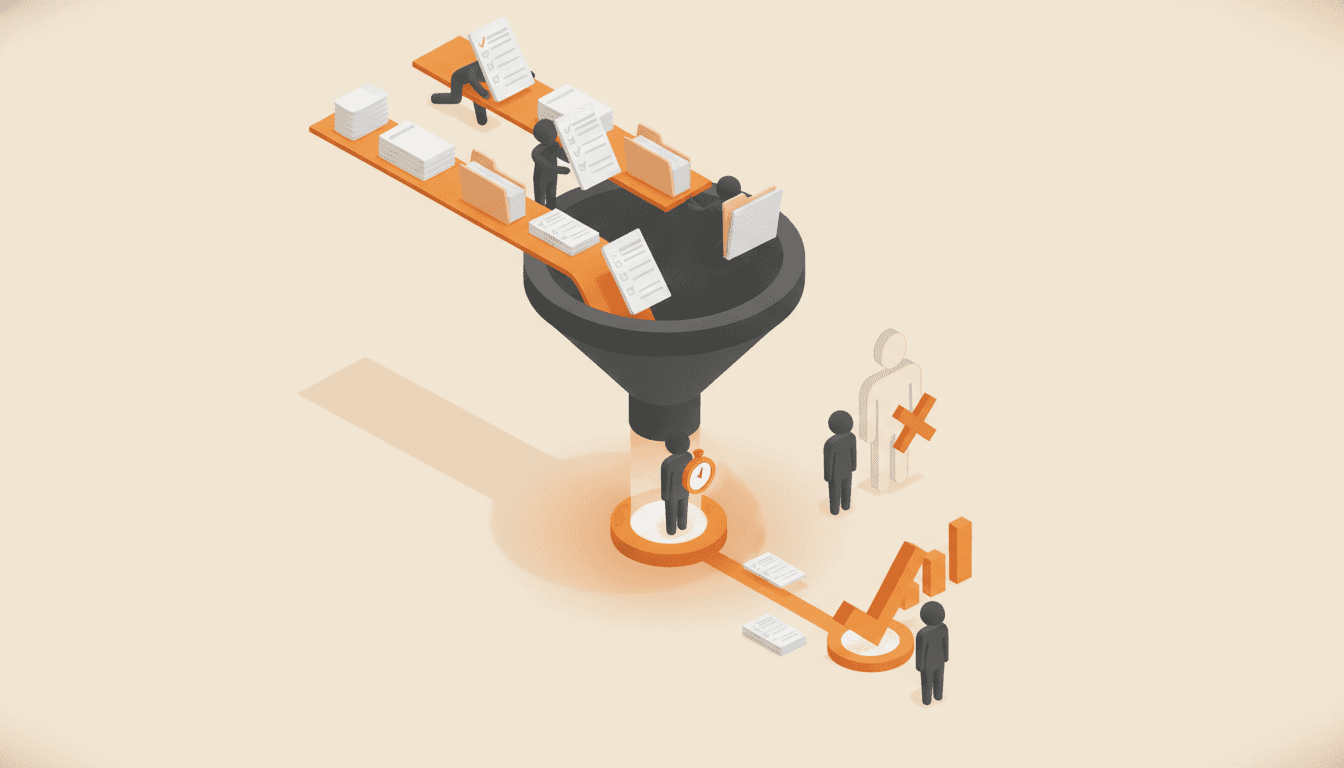
A bottleneck is the one step that sets the pace for everything after it. Here is how to locate yours with a stopwatch instead of a hiring req, and why the fix is almost never another person.

How to Systemize an Inbound Call Center (Booking, Scripts, and Escalations)
Call centers drift because nobody ever named the call types. Here is the order that fixes it: map the calls, write booking rules, define escalations, then score real recordings against a rubric.
Which processes should you write down first?
Rank the work that keeps your business running. You get the five to capture first and a 90-day order to capture them and get your team using them.